
Portrait and Avatar
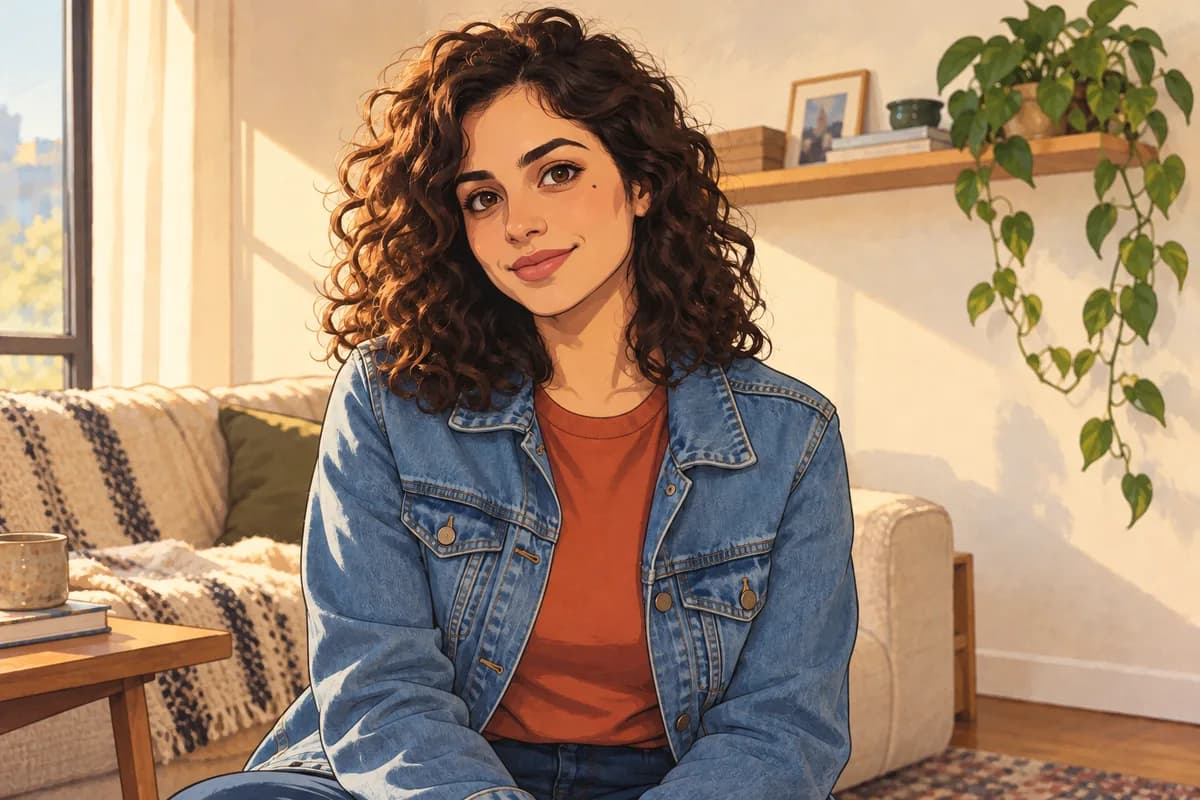
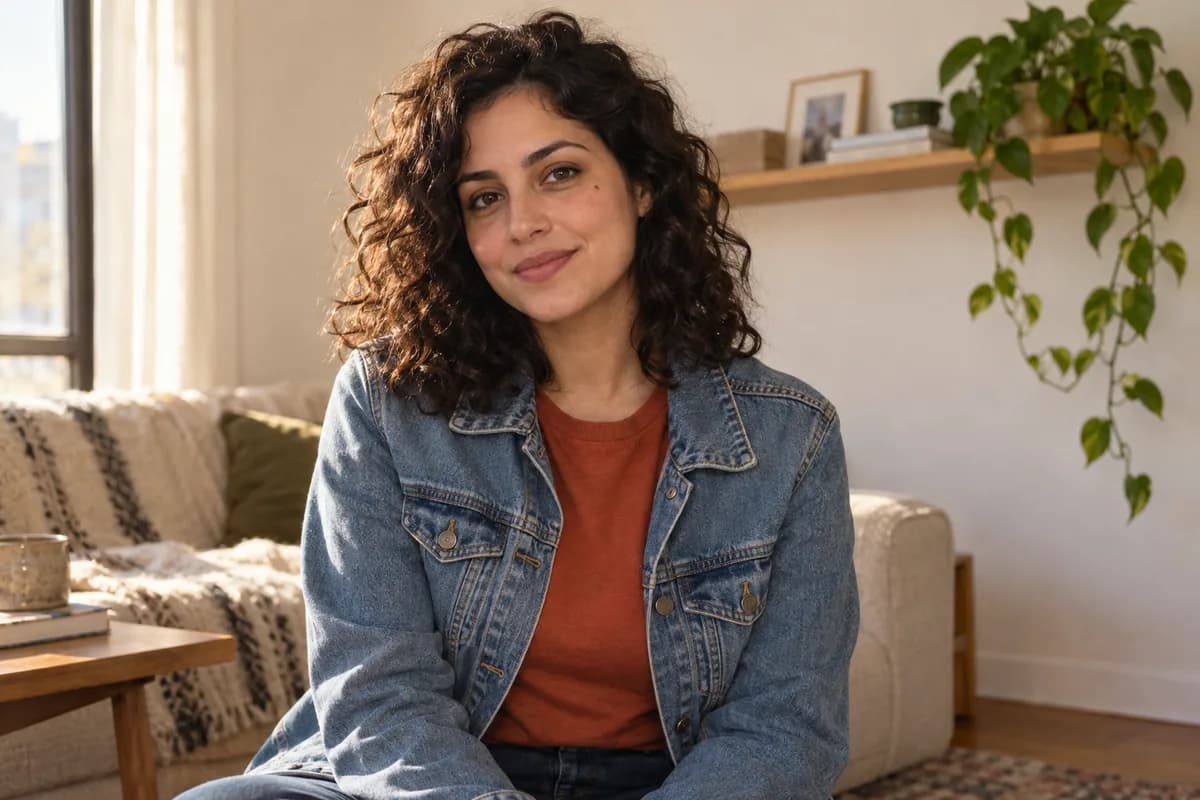
Compare the face shape, expression, curls, jacket, and room cues. The source guides the reinterpretation without locking an exact likeness.
AI Photo to Anime Converter
Upload one photo, guide the anime direction with clear visual details, and compare the generated result with your source.
Compare three representative source-and-result pairs, then inspect the details that matter for your own photo.
Compare the face shape, expression, curls, jacket, and room cues. The source guides the reinterpretation without locking an exact likeness.
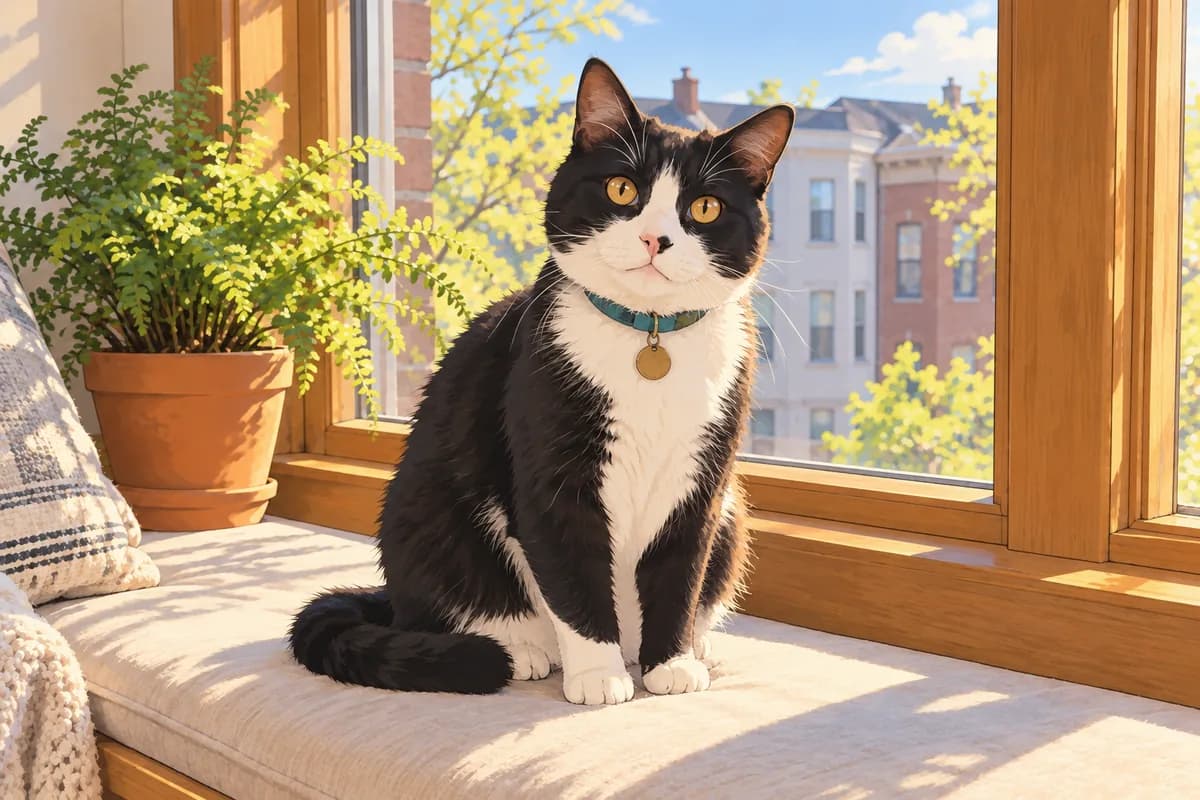
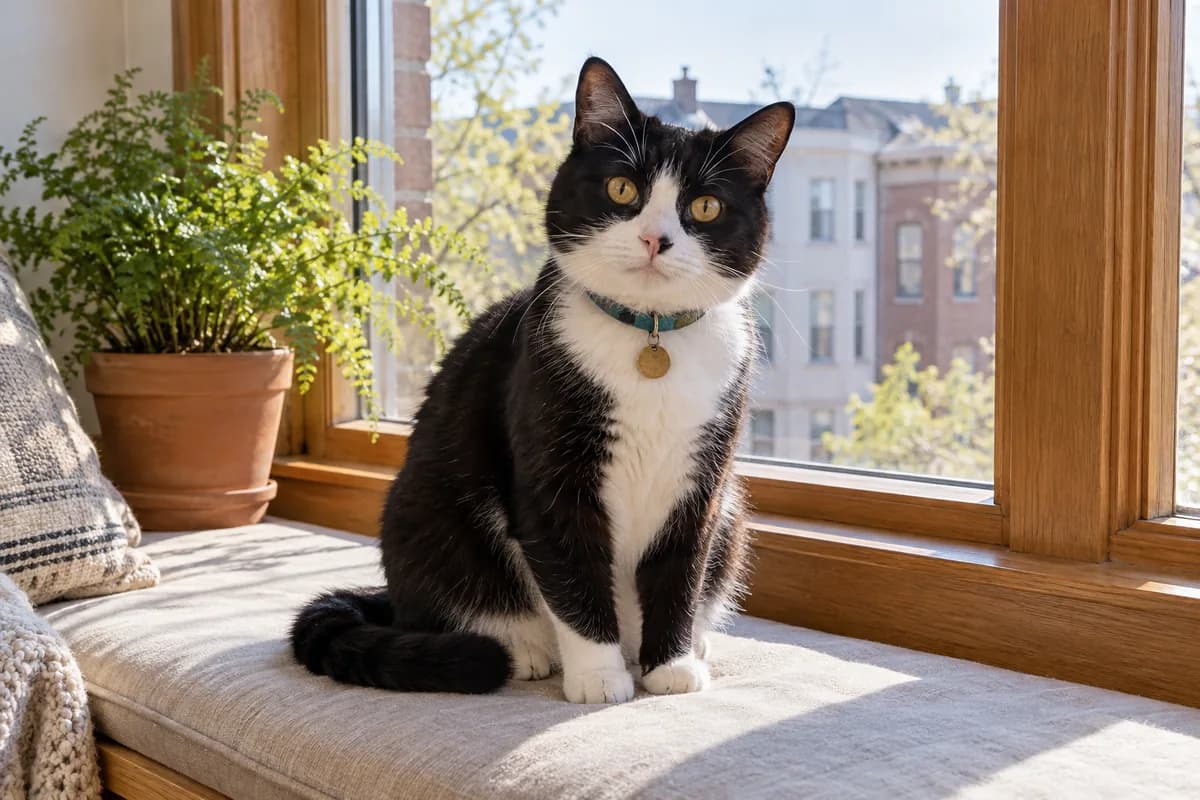
Check the cat's eye color, markings, collar, paws, tail, and window-seat setting; small generated details can change.
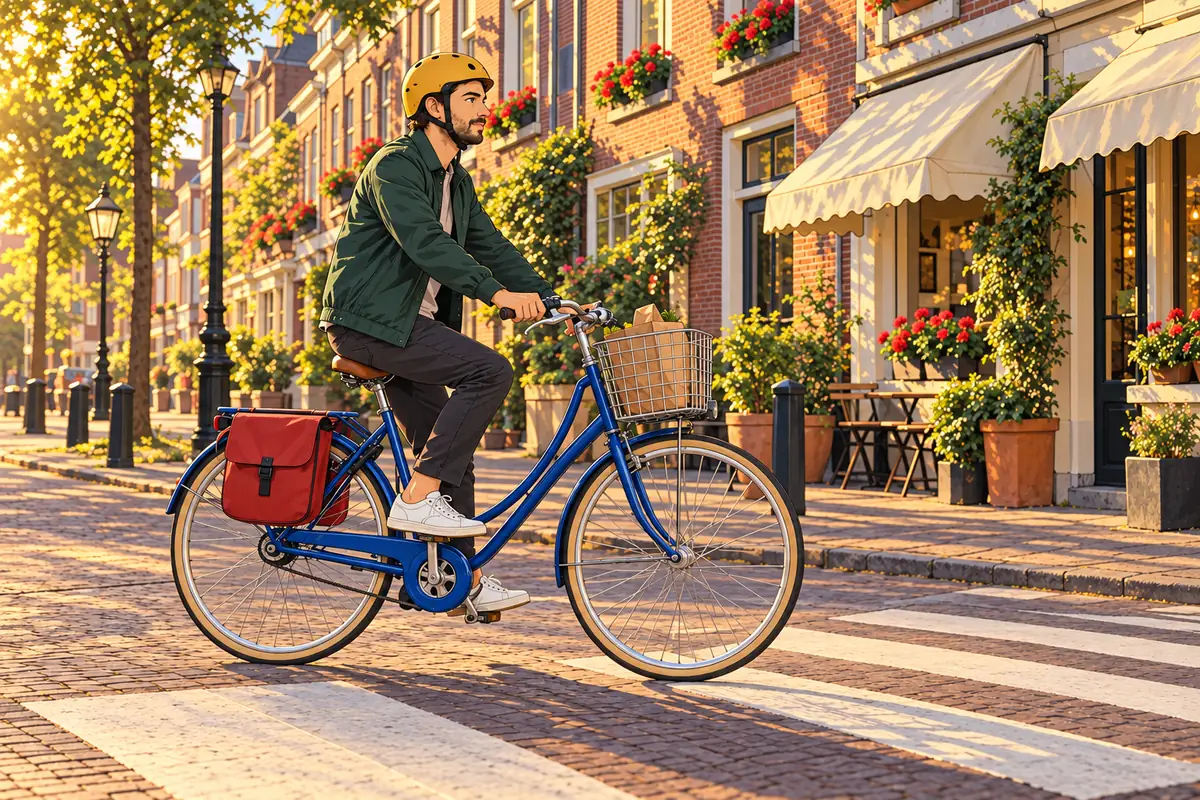
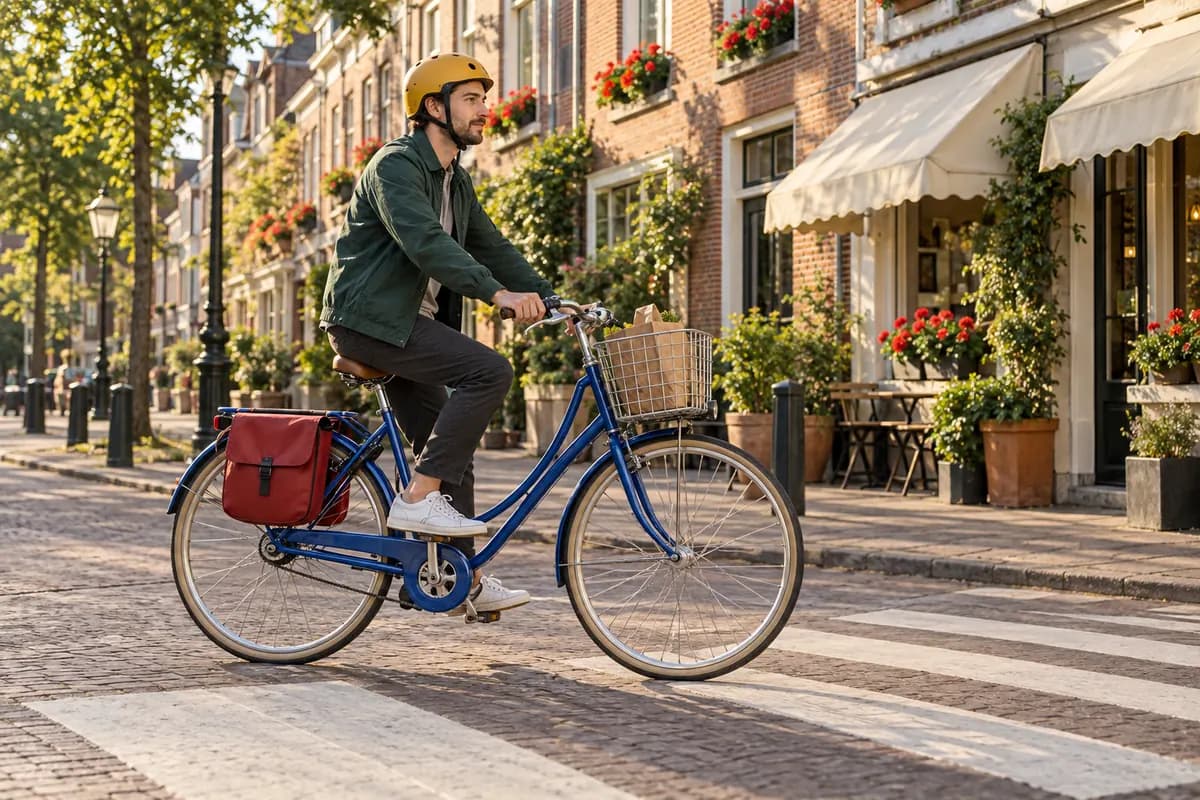
For a wider scene, inspect the cyclist, bicycle geometry, street perspective, flowers, crop, and background details.
Representative examples; results vary with the source image, direction, model, and settings.
Why ImgtoImg
Guide the result with practical choices, compare alternatives, and keep the limitations visible while you work.
Describe linework, palette, shading, lighting, and source details in one browser workflow, helping avoid a generic anime treatment.
Generate up to four independent outputs when likeness, proportions, crop, or composition drifts from the result you wanted.
Return to successful results in private history and download authorized raster files you want to keep.
Each generation uses credits. Review the displayed cost before generating.
How It Works
Upload one clear JPG, PNG, or WebP photo that you have permission to use. Choose an image where the defining face, pet, or scene details are easy to see.
Describe the anime direction, then review the model, aspect ratio, resolution, output count, and displayed credit cost before generating.
Compare the result with your source, keep or continue editing the preferred output, and download an authorized raster result as PNG, JPG, or WebP.
Use one readable source, describe the anime direction, and review the output choices before generating.
Generated anime styling can reinterpret the source, so inspect identity and important details before use.
Facial details, hair, hands, clothing, text, and background objects may change between outputs.
Linework, palette, and shading descriptions guide the output without reproducing a named artist or production exactly.
Results vary with the source image, direction, model, settings, and each independent generation.
Start with 6 free trial credits. Buy more when you need them.
First project
110 credits
GPT at 2K · estimate
Lowest upfront cost
Sign in to continue
Included
Occasional use
440 credits
GPT at 2K · estimate
≈ 25% less / creditvs Starter
Sign in to continue
Included
More room to iterate
1,760 credits
GPT at 2K · estimate
≈ 56% less / creditvs Starter
Sign in to continue
Included
| Model | 1K | 2K | 4K |
|---|---|---|---|
| GPT Image 2 | 3 | 5 | 7 |
| GPT Image 2.5 | 3 | 5 | 7 |
| Nano Banana 2.1 | 2 | 3 | 4 |
Each output is charged separately. Follow-up edits & variations use credits for each new image. Every credit pack supports 1K, 2K & 4K.
Answers about source photos, likeness, framing, anime direction, files, and technical failures.
2. Choose a style
 Classic CelCrisp ink lines, hand-painted color shapes, and restrained cel shadows.
These instructions are added to the selected style. Changing styles keeps your details.
OpenAI · Flare · 3 credits per image
Your Anime Image Starts with One Photo
Upload one photo, describe the anime direction, then generate.
Your Anime Image Starts with One Photo
Upload one photo, describe the anime direction, then generate.