
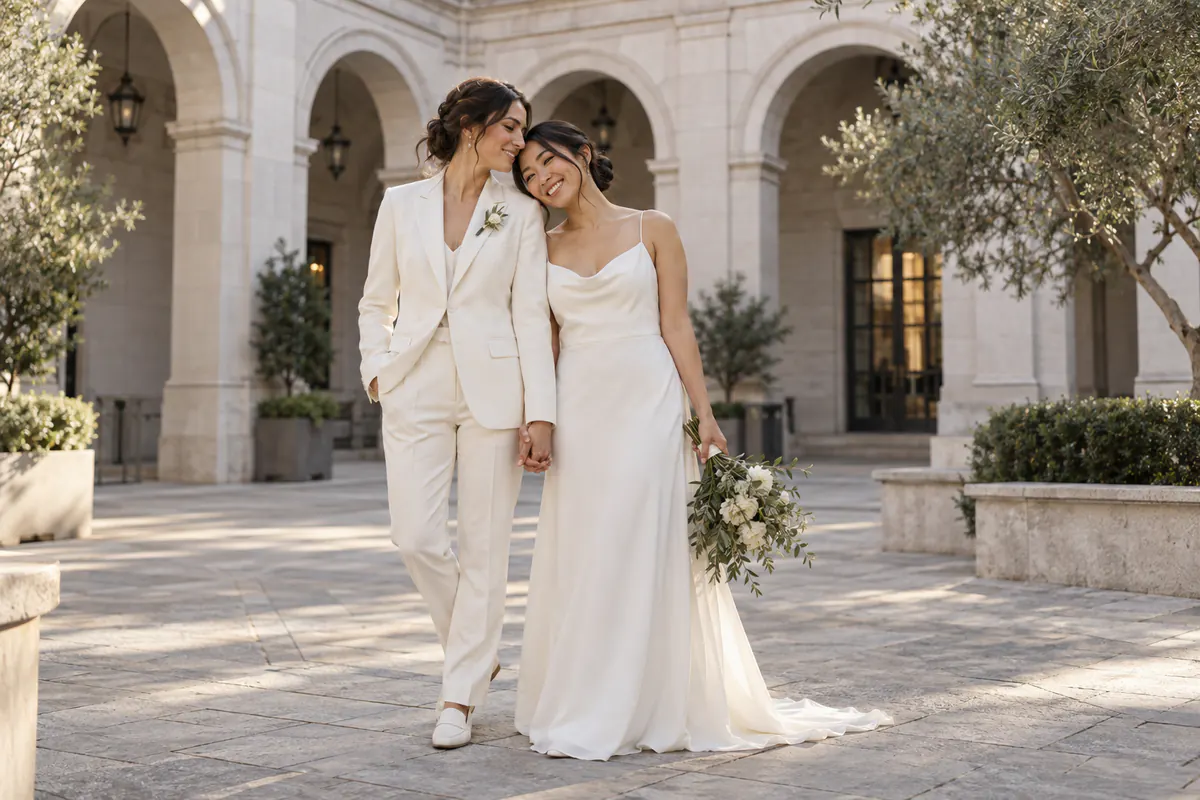
Existing Couple Photo
Pre-Wedding Venue & Pose
Explore a city-hall setting, coordinated attire, and a balanced couple pose before planning a real shoot.
Use the AI wedding photo generator with one individual portrait or one existing couple photo. Explore wedding portraits, outfits, venues, and save-the-date concepts, then compare and refine your preferred direction.
This workflow accepts one source image. If each person is in a separate photo, use the AI Image Combiner. Faces and other details may still change.
Compare practical wedding photo directions: a pre-wedding portrait, a bridal outfit reference, or save-the-date artwork. These examples show possible concepts, not guaranteed final results.
Existing Couple Photo
Explore a city-hall setting, coordinated attire, and a balanced couple pose before planning a real shoot.
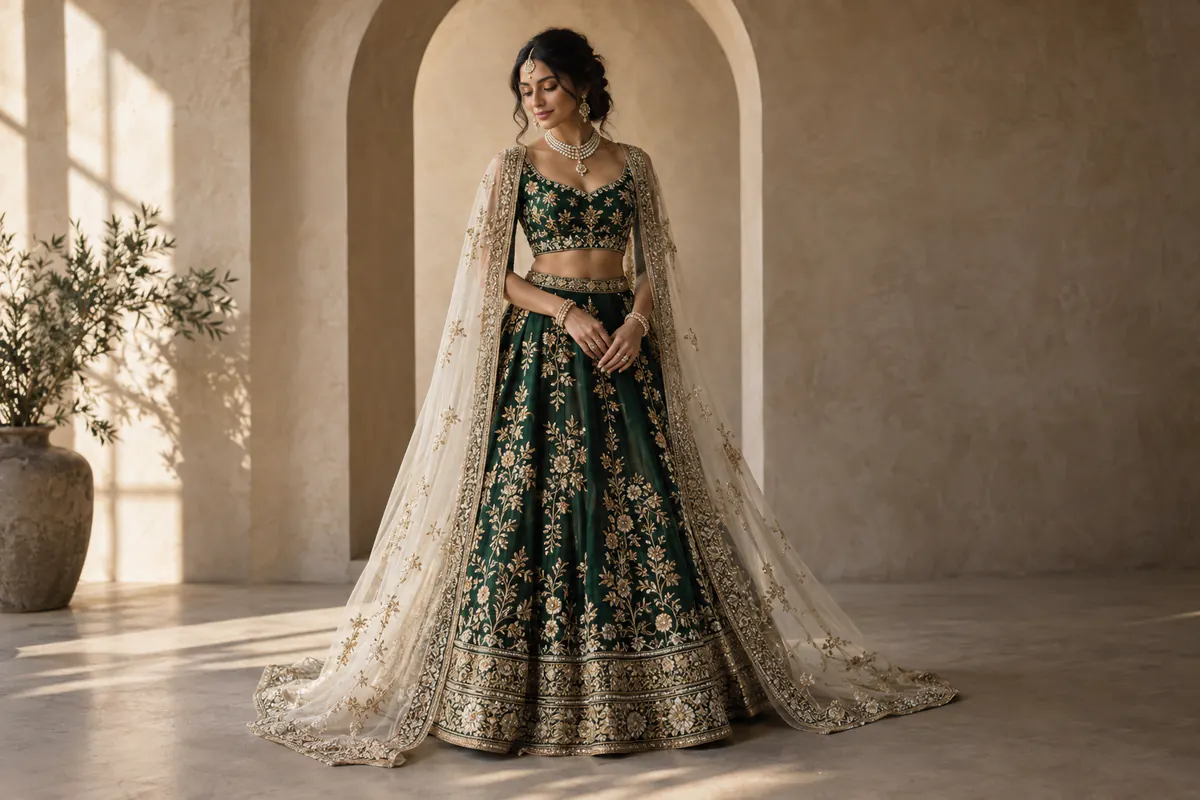
Individual Portrait
Visualize an emerald-and-ivory outfit, veil, and jewelry as a styling reference—not a guarantee of real fabric or fit.
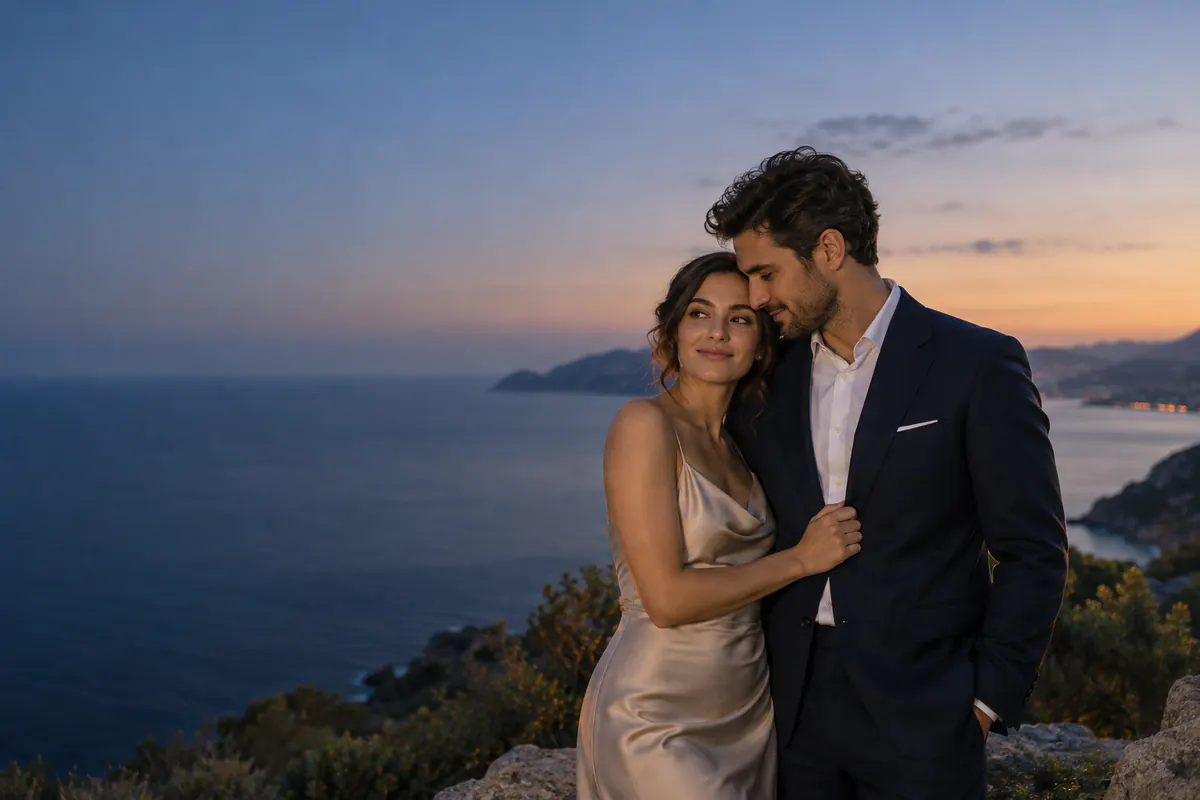
Existing Couple Photo
Plan a wide couple portrait with room for invitation text. Add names, dates, and final typography in a design tool.
Choose the closest direction, then describe the setting, attire, pose, and lighting in the generator above.
Why ImgtoImg
Use one photo to create an AI wedding photo reference before finalizing a shoot, outfit, or invitation design.
Describe the setting, attire, pose, and lighting you have in mind. Generate AI wedding photos you can review instead of relying on words alone.
Compare different visual directions before choosing what to refine, share, or discuss further.
Share a reviewed concept with your partner, photographer, planner, stylist, or designer so you can discuss one visual direction.
Download a reviewed result for a mood board, photo brief, outfit discussion, or save-the-date direction. Treat it as a planning reference, not a guaranteed final photo.
Use the AI wedding photo generator with one portrait or one existing couple photo. Describe the wedding look, then review and download the result.
Choose one JPG, PNG, or WebP showing one person or the couple. This tool does not combine two separate portrait photos.
Describe the setting, attire, pose, lighting, and mood. Choose the model, aspect ratio, resolution, and 1–4 outputs. Check the displayed credit cost, then create a wedding photo with AI.
Check each wedding photo at full size for faces, hands, clothing, accessories, and the number of people. Refine a saved result if needed, then download it as PNG, JPG, or WebP.
Each output and follow-up edit uses credits. Free-account downloads include an ImgtoImg preview watermark.
Start with One PhotoGive the AI wedding photo generator clear details about the people, setting, attire, pose, lighting, and framing. Use the template below to organize them into one wedding photo prompt.
Prompt structure
Ready-to-edit template
Use this [individual / couple] photo as the reference. Create a [framing] wedding portrait in [setting] with [attire], [pose], [lighting], and [mood].
Keep the first prompt simple. Add guests or detailed decor after the main direction looks right.
Use this individual photo as the reference. Create a full-length wedding portrait in a bright studio, with an emerald-and-ivory outfit, a relaxed standing pose, soft side lighting, and a refined editorial mood.
Name the location and time of day, such as a garden at sunset, a bright studio, a city hall with window light, or a quiet portrait at home.
Specify the silhouette, fabric, colors, jewelry, flowers, headwear, and other details that should appear. Name cultural elements directly instead of asking for a generic “traditional” look.
State whether the source photo shows one person or an existing couple. Describe each person and the pose directly instead of relying on bride or groom assumptions.
Choose a close-up, half-length, full-length, or wide portrait. Add the lighting and mood you want, and keep the first version simple before adding guests or dense decoration.
AI generation can change faces, hands, clothing, and cultural details. Review every result at full size before using or sharing it.
Start with 6 free trial credits. Buy more when you need them.
First project
110 credits
GPT at 2K · estimate
Lowest upfront cost
Sign in to continue
Included
Occasional use
440 credits
GPT at 2K · estimate
≈ 25% less / creditvs Starter
Sign in to continue
Included
More room to iterate
1,760 credits
GPT at 2K · estimate
≈ 56% less / creditvs Starter
Sign in to continue
Included
| Model | 1K | 2K | 4K |
|---|---|---|---|
| GPT Image 2 | 3 | 5 | 7 |
| GPT Image 2.5 | 3 | 5 | 7 |
| Nano Banana 2.1 | 2 | 3 | 4 |
Each output is charged separately. Follow-up edits & variations use credits for each new image. Every credit pack supports 1K, 2K & 4K.
Upload one clear JPG, PNG, or WebP that shows one person or both partners together. The AI wedding photo generator accepts only one source image. It cannot combine two separate portraits. A clear, well-lit face gives the model a better reference, but an exact likeness is not guaranteed.
See the three-step workflowNot always. AI can change faces, hands, clothing, jewelry, or even the number of people. Review every person and detail at full size before you download, share, or use the image.
See what to review before refiningYou must sign in to generate an image. New accounts receive 6 trial credits. The cost depends on the model, resolution, and number of outputs. The tool shows the total before you submit. Each output and follow-up edit uses credits.
Compare current credit costsFree accounts can generate at 1K. Their downloads include an ImgtoImg preview watermark. With valid paid access, you can generate at 1K, 2K, or 4K and download without that watermark. Downloads are PNG, JPG, or WebP raster files. AI-generated text or marks may still appear in the image.
Compare plans and resolutionsYes, but each follow-up edit is a new generation and uses credits. AI editing does not preserve every pixel. Faces and other areas may change. Keep the original file and use manual editing when a detail must stay exact.
Review the generation workflowDescribe each person, the pose, clothing, jewelry, ceremony details, and setting. Name cultural elements directly. Do not rely on broad labels or assumed bride-and-groom roles. Prompts guide the result, but they do not guarantee cultural accuracy or a consistent identity. The result may still include stereotypes.
Use the wedding prompt guideTo process your request, ImgtoImg sends your upload, prompt, and settings to external providers. We store your uploads, prompts, and results for work history and further edits. Anyone who obtains a reference-image link may be able to open it. ImgtoImg does not train its own models on your content. However, external providers have their own data practices. We cannot guarantee that every provider offers no-training or zero-retention processing. Saved work has no fixed automatic deletion period. You can request deletion through support. Do not upload sensitive or confidential material.
Read the Privacy PolicyYes, if your account has valid paid access when you submit the image request. That access must come from a completed credit-pack purchase. Commercial use remains subject to the Terms and third-party rights. You must have permission to use the source image and each person’s likeness. A later purchase does not automatically authorize an image created on a free account.
Read the commercial-use termsUse reviewed AI-generated wedding photos for portrait concepts, mood boards, invitations, save-the-date artwork, or planning outfits and venues. Clearly label any recreation. AI images do not document a real event and cannot replace a photographer who records your wedding day. Confirm fit, materials, availability, and shoot details with the relevant professional.
Explore practical wedding conceptsUse an individual portrait or one photo that already includes the couple. Describe the setting, attire, pose, and lighting. Sign in to upload and generate; the credit cost is shown before submission.
Go to the Wedding Photo Generator